General
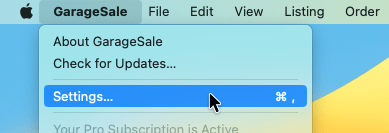
The GarageSale Settings can be accessed via the “GarageSale” menu.
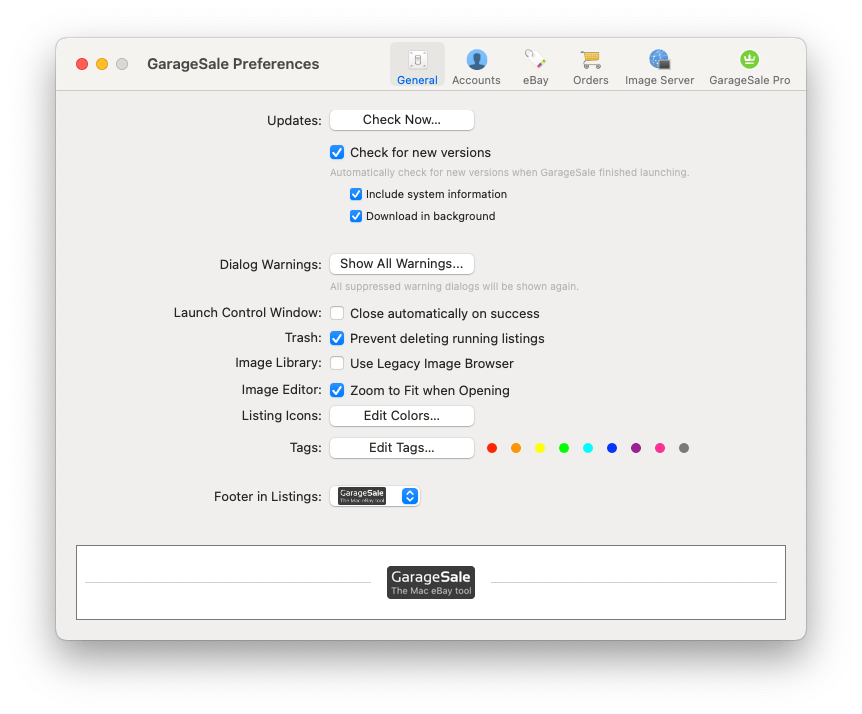
In the General tab you can check for updates, reset dialog warnings and define various options:
- Manage the Launch Control Window’s behavior
- Prevent deleting running listings
- Switch to the legacy Image Browser
- “Zoom to Fit” when opening GarageSale’s Image Editor
- “Show Recursive Item Count”: If selected outline view groups show the count of all contained items including subfolders, instead of only showing the count of items on the first level. You also can “Exclude Groups from Item Count”.
- Edit the listing icon colors
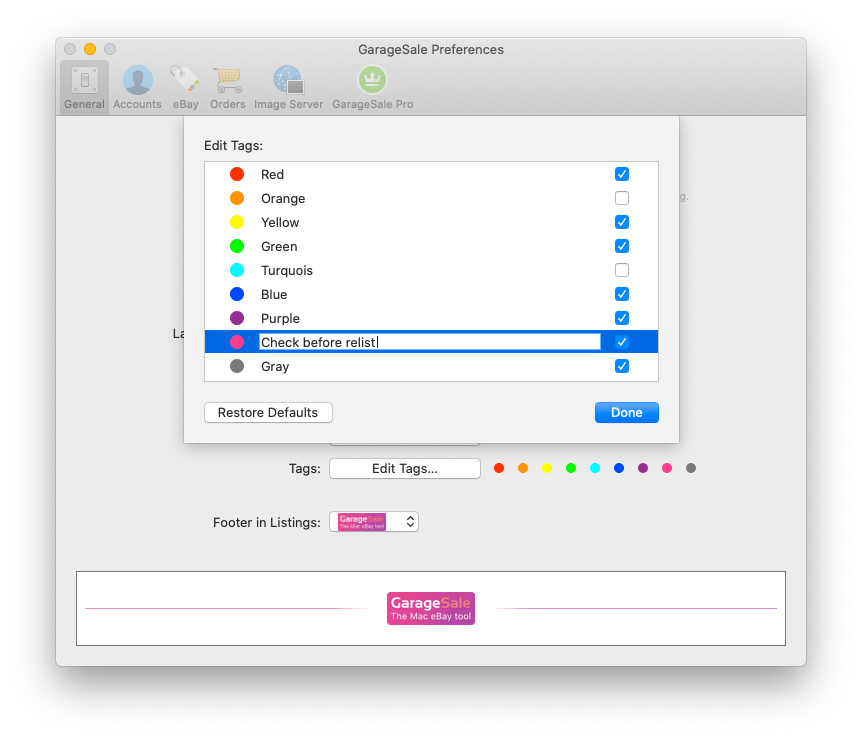
- Edit tags
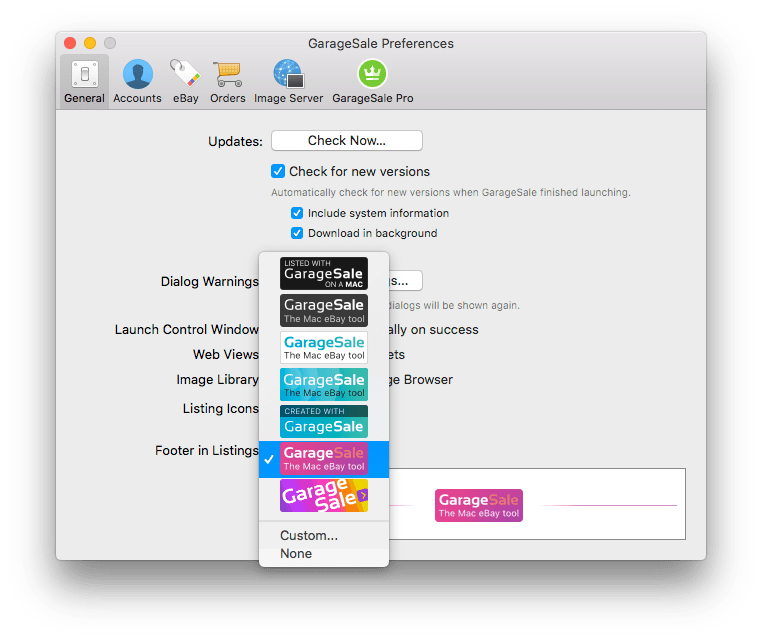
- Footer in Listings: Choose between multiple footer layouts
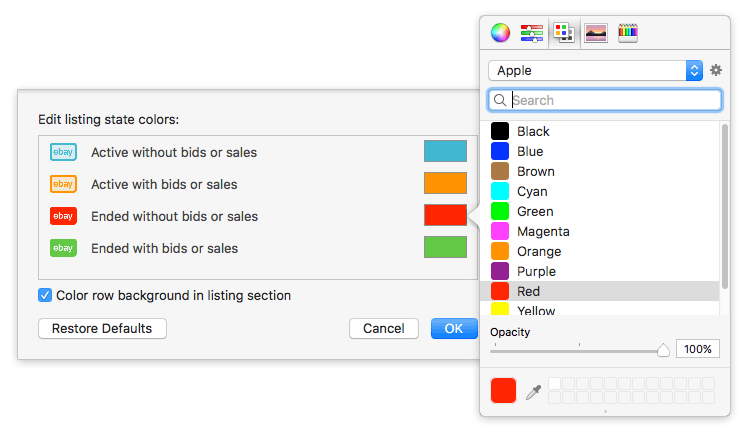
Editing Listing Icon Colors
By clicking on “Edit Colors…” you can define a custom color for each listing state:
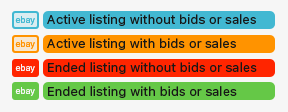
If you select “Color row background in listing section” you can use the same colors to highlight the listing titles in Outline View, like this:
Editing Tags
Colored tags allow you to highlight your listings and orders. Here you can give each tag color a custom name or disable tags you don’t want to use. To do this click on Edit Tags…
Footer in Listings
The footer will be added below every listing. You can choose between multiple default footer layouts, use a custom footer or disable it.
Good to know:
- By selecting “Custom” you can enter your own text or HTML code. This is a great way to add content to your item description that you want to make appear in every listing you launch.
- If you don’t want to use a footer at all, select “None”. We’d be happy if you decide to leave the GarageSale badge selected.
- The footer can only be edited in the registered version.
| << Exporting Reports | Accounts >> |