Exporting Listings
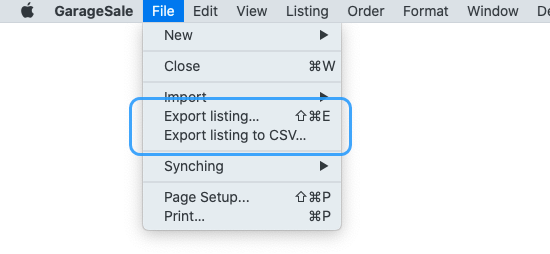
Export listings
By selecting “Export listing” from the “File” menu GarageSale you can export your listing to a file that only GarageSale can read. This is the recommended export option if you want to share the listing with other people or just save them for future reference.
Good to know
By default, multiple selected listings will be exported to one single file. To export each selected listing to a separate file, hold down the option key while invoking the “Export listings” command.
Export listings to CSV
By selecting “Export listing to CSV” from GarageSale’s “File” menu you can export the selected listing to a CSV file. This can be helpful if you want to transfer the listing data in a database or use it in another application.
| << Product Safety | Importing Listings >> |