Editor Mode
The Editor grants you fine-tuned control over your listings’s title, item description and images.
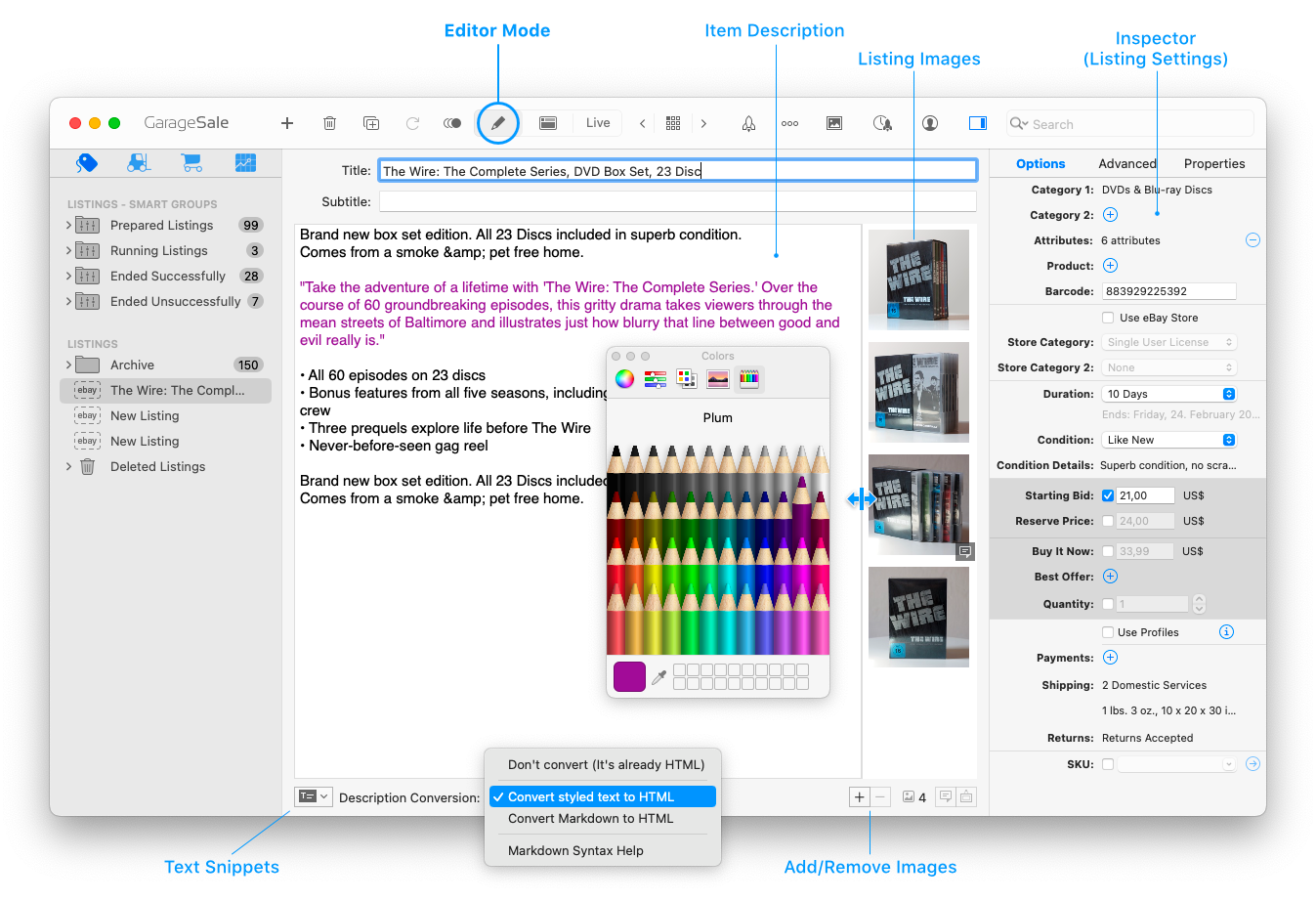
Item Description Editor
You can enter text or code into the item description field. The following types are supported:
- Plain text
- Formatted text (e.g. bold, colored)
- HTML code
- Markdown formatted text
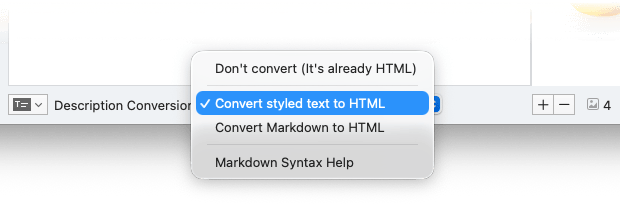
If you use plain text or formatted text, make sure that Convert styled text to HTML is selected from the “Description Conversion” menu at the bottom of Editor Mode.
If you use HTML code, make sure that Don’t convert (It’s already HTML) is selected.
If you use Markdown, select Convert Markdown to HTML accordingly.
Good to know
When uploading the listing to eBay, GarageSale needs to convert the item description to HTML code, a language that the browser can read. That’s why it’s important to instruct GarageSale what to do with the entered description by using the “Description Conversion” menu.
Depending on what description conversion mode is selected in the popup, your input gets treated differently.
Formatting Text
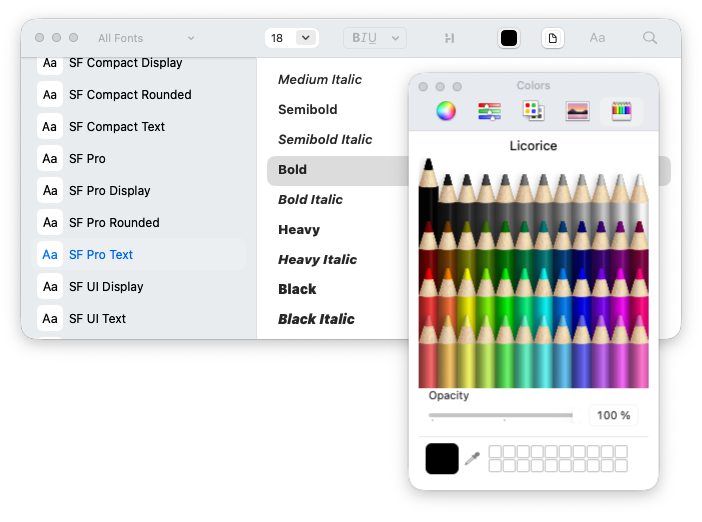
Use the system’s font panel, color panel, and other commands from the Format menu to change your description’s font, font size, color, style and alignment.
Select Convert styled text to HTML from the “Description Conversion” menu so that GarageSale will convert your description’s format into HTML when posting a listing to eBay.
Markdown
You can enter Markdown formatted text in the description field. Markdown is a simple markup language that controls your description formatting. Short examples of Markdown code can be found in the Markdown Syntax chapter.
If you use Markdown, select Convert Markdown to HTML from the “Description Conversion” menu.
Adding Images
To add images to your listing in Editor Mode simply drag them from the Finder to the image area or use one of the options from the + button below that area.
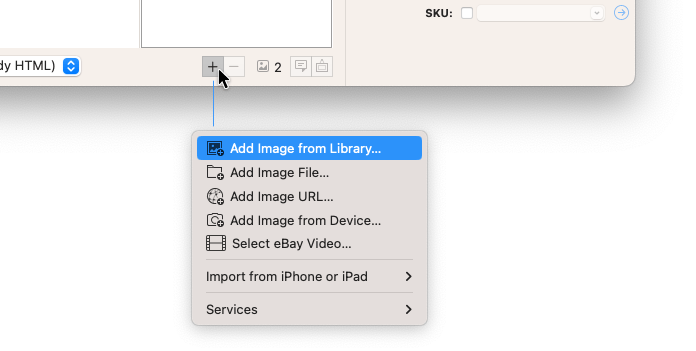
Also, you can always open GarageSale’s “Photo Browser” by hitting the photo button in the toolbar. The Media Browser lets you access all your images from Apple’s “Photos” application directly from within GarageSale.
Images can easily be re-ordered via drag & drop. Please see the chapter Editing Images for all details.
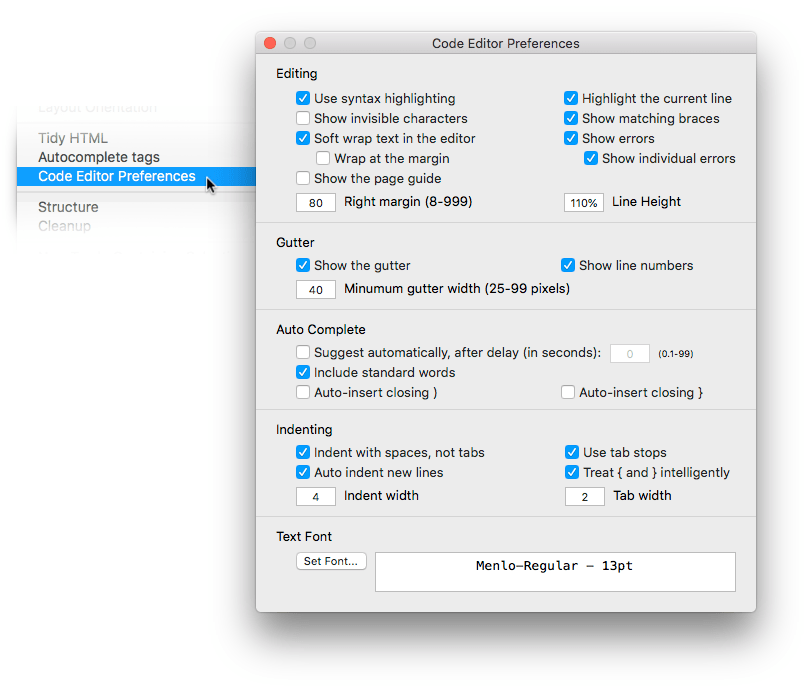
Code Editor Preferences
If “Don’t convert” or “Convert Markdown to HTML” is selected you can adjust the code editor, e.g. increase the font size. Select “Code Editor Preferences” from the context menu:
Text Snippets
In Editor Mode you can easily add Text Snippets to your item description. Please see the chapter Text Snippets to learn more.
| << Overview | Preview Mode >> |