Toolbar
The toolbar of the main window offers frequently used commands. Some of the toolbar buttons are specific to the currently selected section, while others are available from every section. Below some the commonly available toolbar buttons:

+button: Shows a menu for creating new items like listings, groups or smart groups- Delete: Moves the currently selected item(s) to the Trash
- Duplicate: Creates copies of the currently selected items
- Tags: Mark listings with colored tags
- AI Generator: Let AI generate your listing description
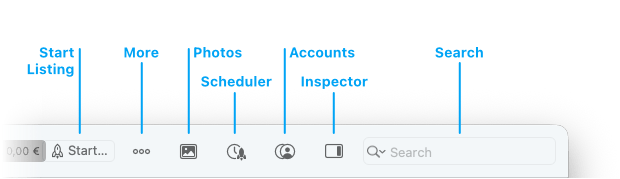
- Start: Upload your listing to eBay
•••button: Find more actions here, e.g. revise, relist, end listing- Photos: Opens the photo library window, which lets you access your photos
- Scheduler: Opens the Scheduler window
- Accounts: Opens the Account Overview window
- Inspector: Toggles the inspector sidebar on the right-hand side of the main window
- Search: Enter search terms to start searching the active section. You can select search options from the search popup menu.
Good to know:
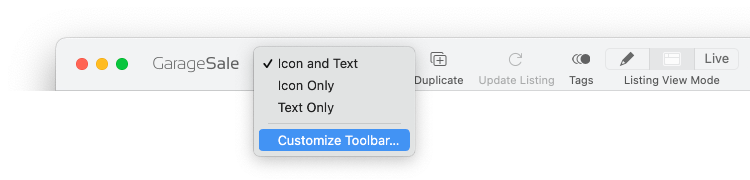
You can customize GarageSale’s toolbar by right-clicking on it and selecting Customize Toolbar.
| << GarageSales's Main Window | Outline View >> |