Design Templates
GarageSale presents you a large variety of customizable listing designs to choose from. These designs are optimized for display on both mobile devices and desktop computers and will make your listing vastly more attractive. While you can use all of our stock designs free of charge, you can purchase many more designs via GarageSale’s Design Store.
Design Basics
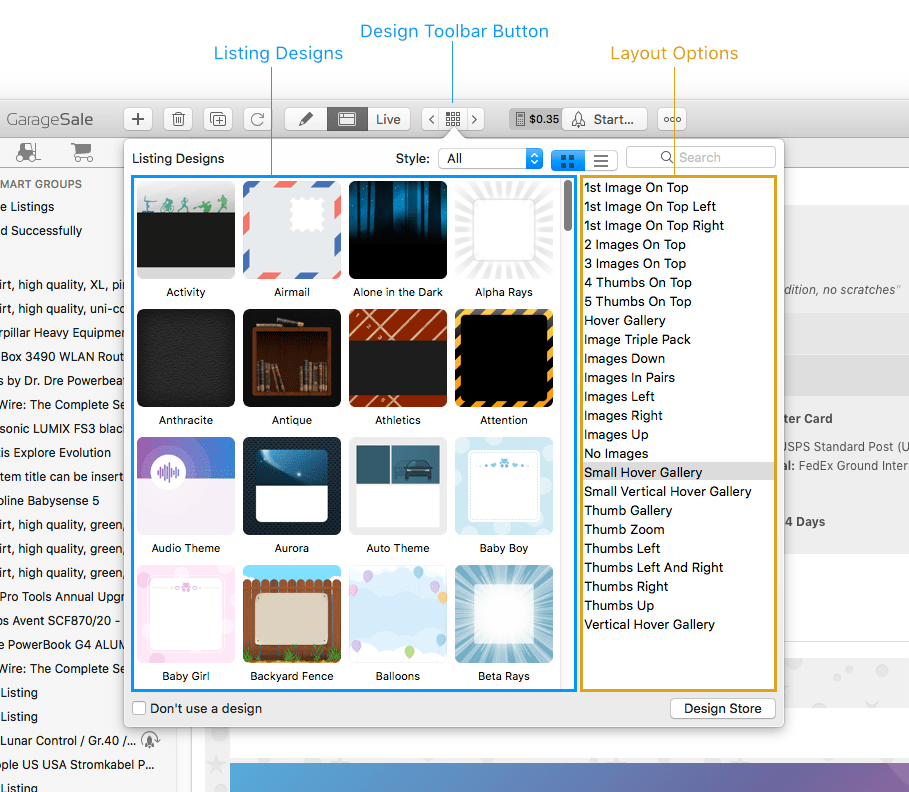
Open the Design browser to select a listing design and a layout option.
If you prefer to use none of the integrated designs, simply check “Don’t use a design” at the bottom.
Layout Options
Every design features distinct “Layout” options, giving you the ability to arrange the listing images and item description according to your personal preference. GarageSale offers classic image layouts (images on the right, left, top…) as well as advanced layout options, such as image galleries and zoom effects.
Design Properties
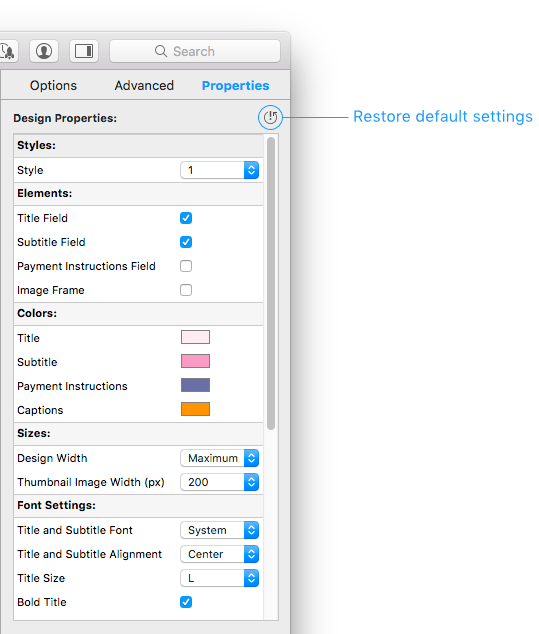
The “Properties” tab in the inspector gives you detailed control over many design aspects, such as its color, size, font style and other elements. Here you can also select the “Style” of the design, manage the “Image Zoom” feature and other advanced options.
Pro Designs
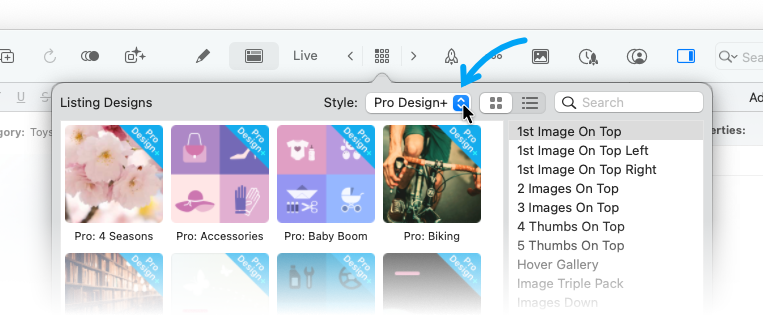
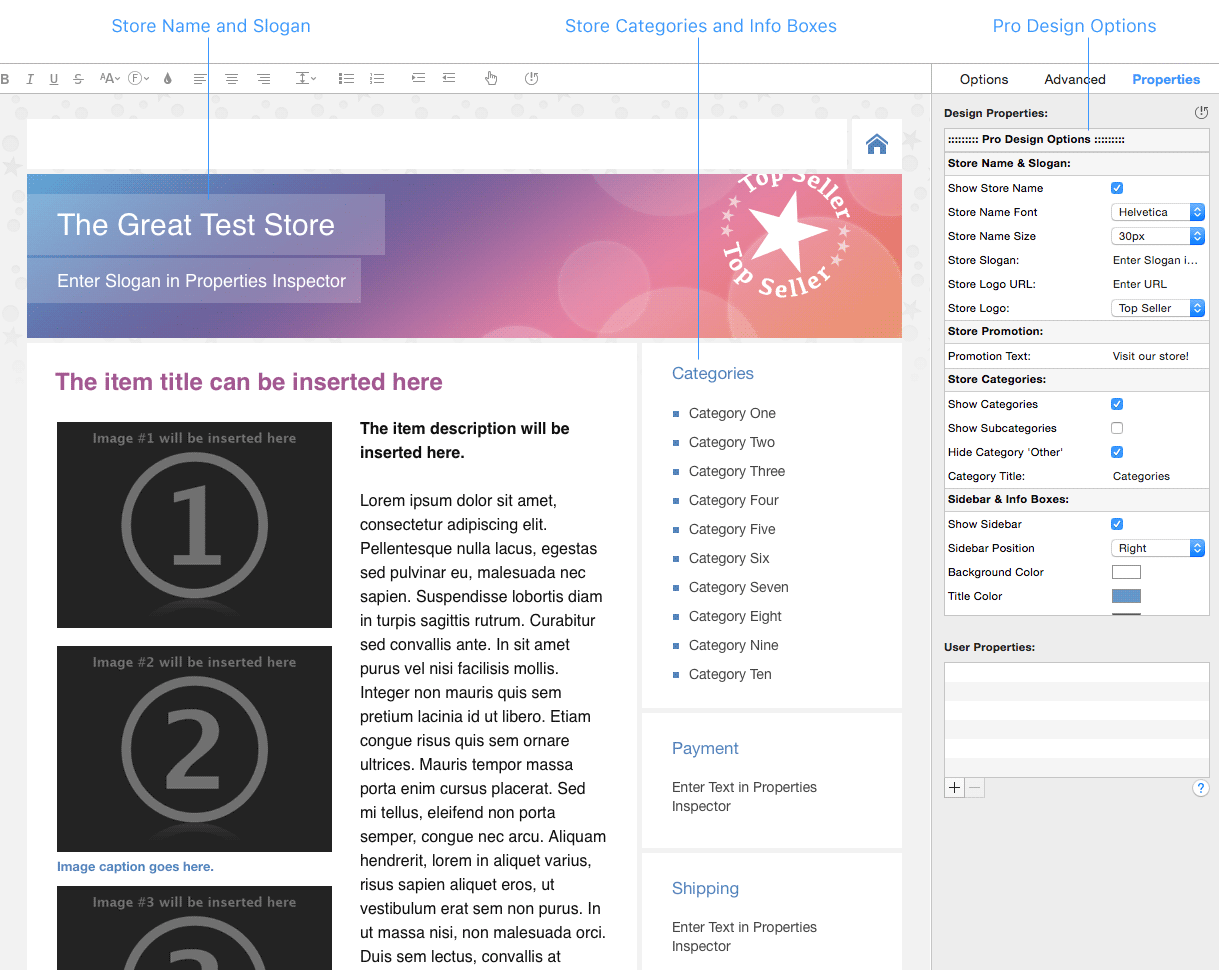
GarageSale’s Pro Designs (and Pro Designs+) are advanced listing designs, specially designed for eBay store usage. You can toggle and adjust the store name, store categories, info boxes and more. However, even without an eBay store it’s perfectly fine to use them. Creating your own customized, highly professional listing design has never been easier.
Some Pro Design+ key features:
- All “Pro Design+” templates come with different Styles to choose from.
- Pro Designs can reflect your store name & store categories.
- You can enter your own slogan, e.g. for your store.
- You can use individual text boxes, so-called “Info Boxes” e.g. for shipping details, return policy, terms, etc.
- All “Pro Design+” templates offer a clickable tab bar for Info Boxes.
- There is an option to create “collapsable” Info Boxes
- Many of the Pro Designs let you insert your own header image URL.
- Insert a clickable field to promote your eBay store.
- Select the “No Images Under Description” option, if you don’t want to have the layout option add images below your actual item description.
Good to know
- Please note that your store name and store categories can only be inserted in your listing if you already have one of your store categories selected in the “Options” Inspector.
- Many Pro Designs are already included in GarageSale and more are available via the built-in Design Store.
- You can even use basic HTML code to format the text inside Info Boxes. See below for examples:
- Adding line breaks:
<br> - Bold text:
<b> your text </b> - Colored text:
<span style="color: red"> your text </span>
- Adding line breaks:
Image Captions
Once you have settled on a listing design, you can then provide image captions for your listing images. These captions can be edited both in GarageSale’s Editor Mode and Preview Mode by clicking on the Caption icon:
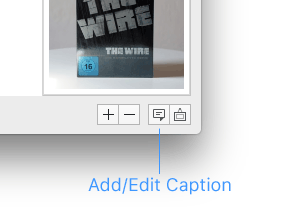
You can also right-click on an image and select “Edit Captions” from the context menu.
User Properties
Underneath the Design Properties you can define so-called User Properties. They allow you to store values associated with your items.
As an example, they can be helpful if you are selling almost similar items which only differ in a few aspects, e.g. T-Shirts with different colors. You can now use the very same description in all your listings and instead of inserting/editing different color names in possibly several locations of your item description, you include your own Color user property in your description once and then set the value for Color in the User properties for each desired listing individually.
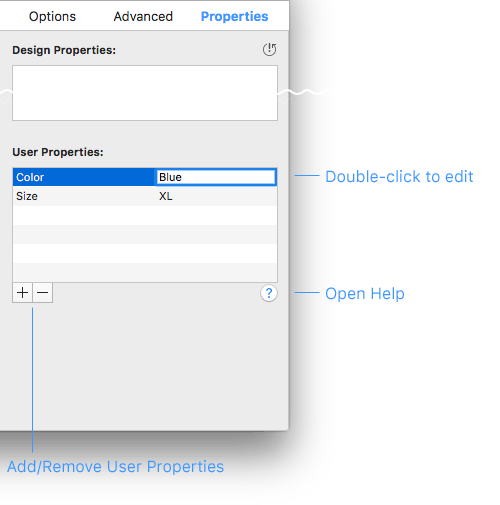
Once created these properties can be included in the item description with GarageSale’s design language, like this:
{{item.userProps.Color}}
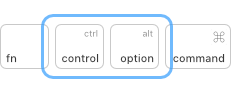
Press the control and option (alt) keys on your keyboard to see how the resolved user properties would look like when posted to eBay.
Good to know:
- User Properties are searchable via the search field in the toolbar.
- User Properties can be used in Smart Groups.
User Properties from Inventory Items
User Properties can be defined in inventory items, too.
These user properties will be carried over to the listings you link the inventory item with. Also, when you change a user property in an inventory item, the change is reflected in all listings linked to that inventory item automatically.
User Properties in Message Templates
User properties can also be used in Message Templates via the item.userProps.PROPERTYNAME syntax. This allows you to send messages to your buyers that are custom-tailored to the kind of items you are selling.
| << Editing Images | Variations >> |