Content Area
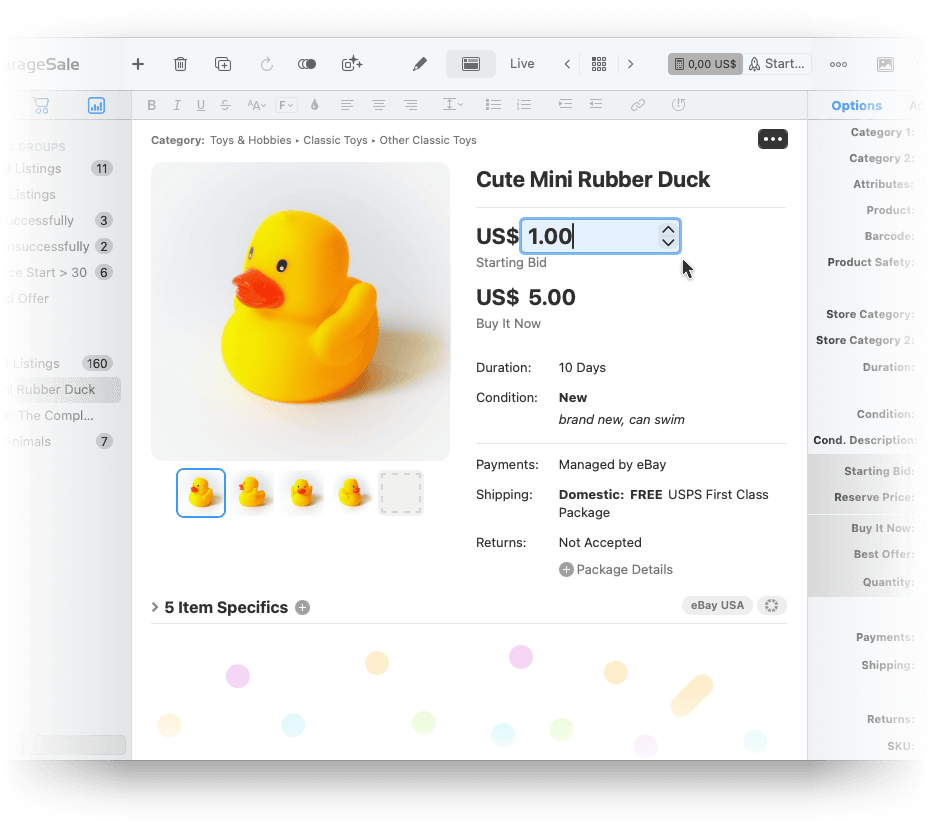
In the content area, the middle part of GarageSale’s main window, you can view and edit the currently selected item. For example edit the title, price and description of a listing.
Overview Mode
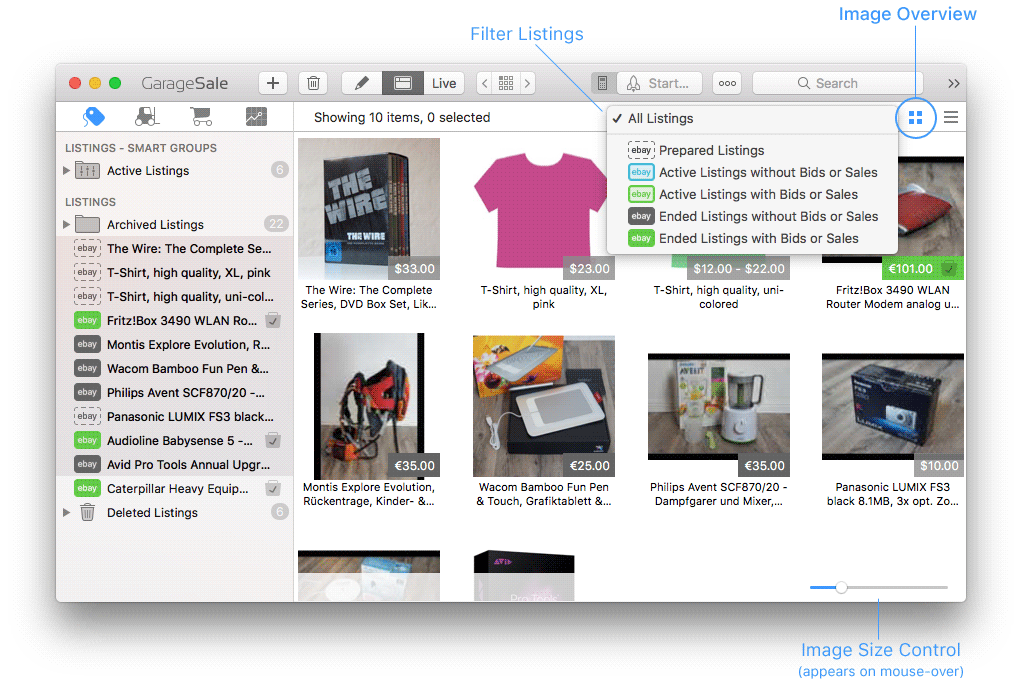
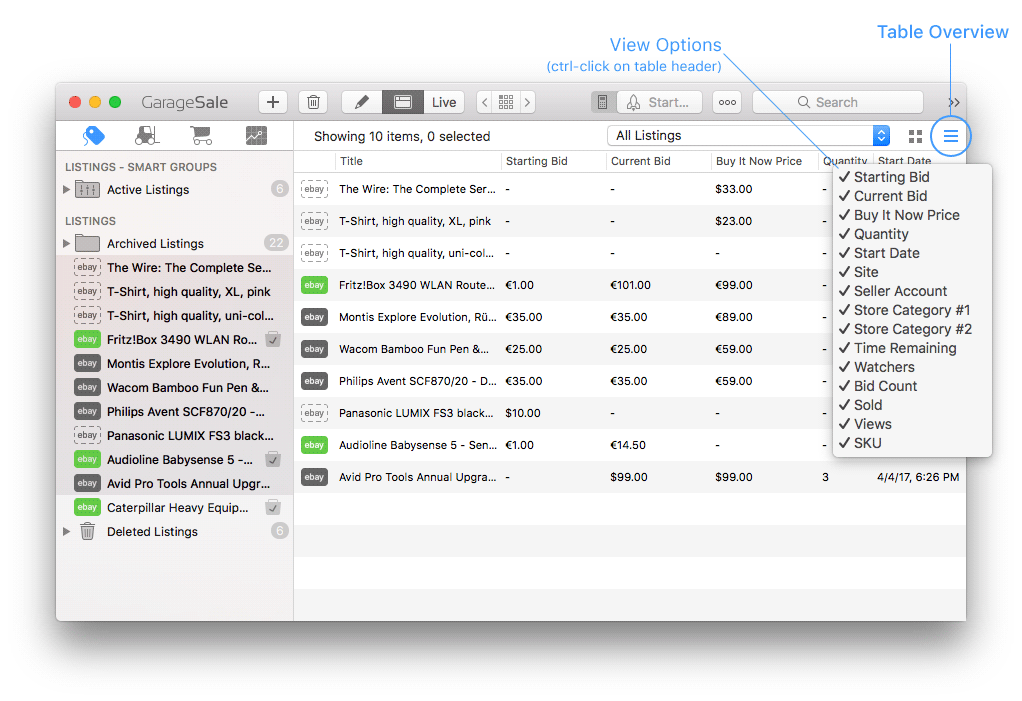
If you select multiple items in the outline view, the content area will show them all in overview mode. This overview mode comes into two flavors:
You can switch between the two modes by using the overview mode controls in the top right corner of the content area.
Image Overview Mode
Good to know:
- You can adjust the image size by using the image size control that appears if you move your mouse over the bottom of the content area.
Table Overview Mode
Good to know:
- You can re-order the table columns by dragging them to a different position in the header row.
- You can sort your items by clicking on a column header, e.g. “Title”.
- To configure what columns are shown or hidden, control-click into the table header row.
| << Outline View | Inspector Sidebar >> |