Exporting Orders
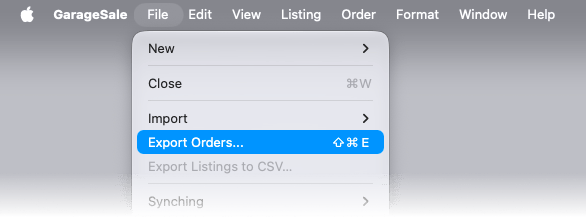
When in Orders mode you can export the selected order(s) to a CSV file by selecting “Export Orders…” from the “File” menu.
By default the exported CSV file contains all order data including transaction and buyer details. You can configure the order of fields and what fields are (not) exported to CSV. For example you can define to only export the buyers’ address data.
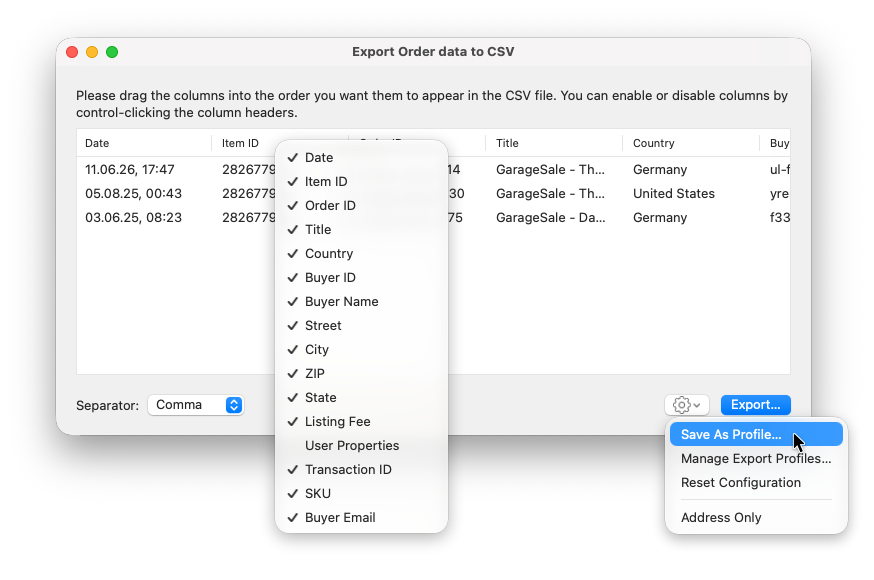
Your configurations can be saved and also restored. This way you don’t have to re-do your configurations again and again.
- To save a configuration select “Save As Profile” from the gear menu.
- To restore a configuration select the saved configuration profile from the gear menu.
| << Create Invoice With GrandTotal | Find Combined Orders >> |