Outline View
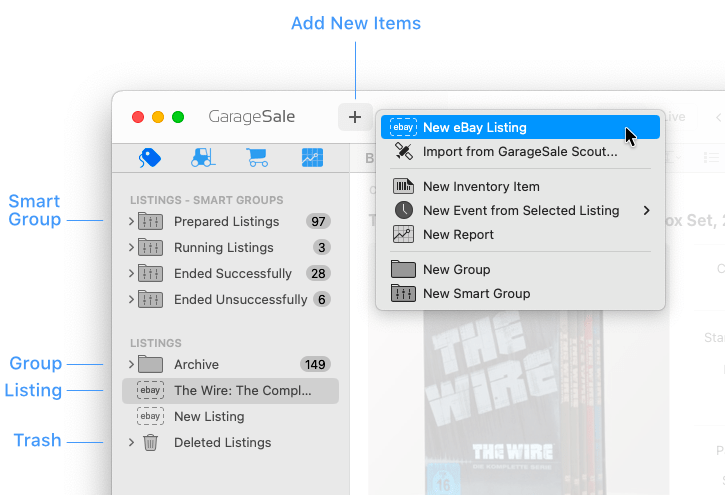
The resizable outline view on the left side of the main window shows the items, groups and smart groups available in the currently active section.
- The items you select will become available for editing in the Content Area.
- You can select multiple items by holding down the
shiftorcommandkey. - You can add a new item, group or smart group to the outline by clicking on the
+toolbar button. - Control-clicking on items in the outline view gives you a context menu offering commands relevant to the currently active section.
- To empty the trash folder, click on it while holding down the
controlkey and select “Erase Delete Items”. - Use the “Filter by Title” field at the bottom of the outline view to further narrow results obtained by using the regular search function.
| << Toolbar | Content Area >> |