Overview
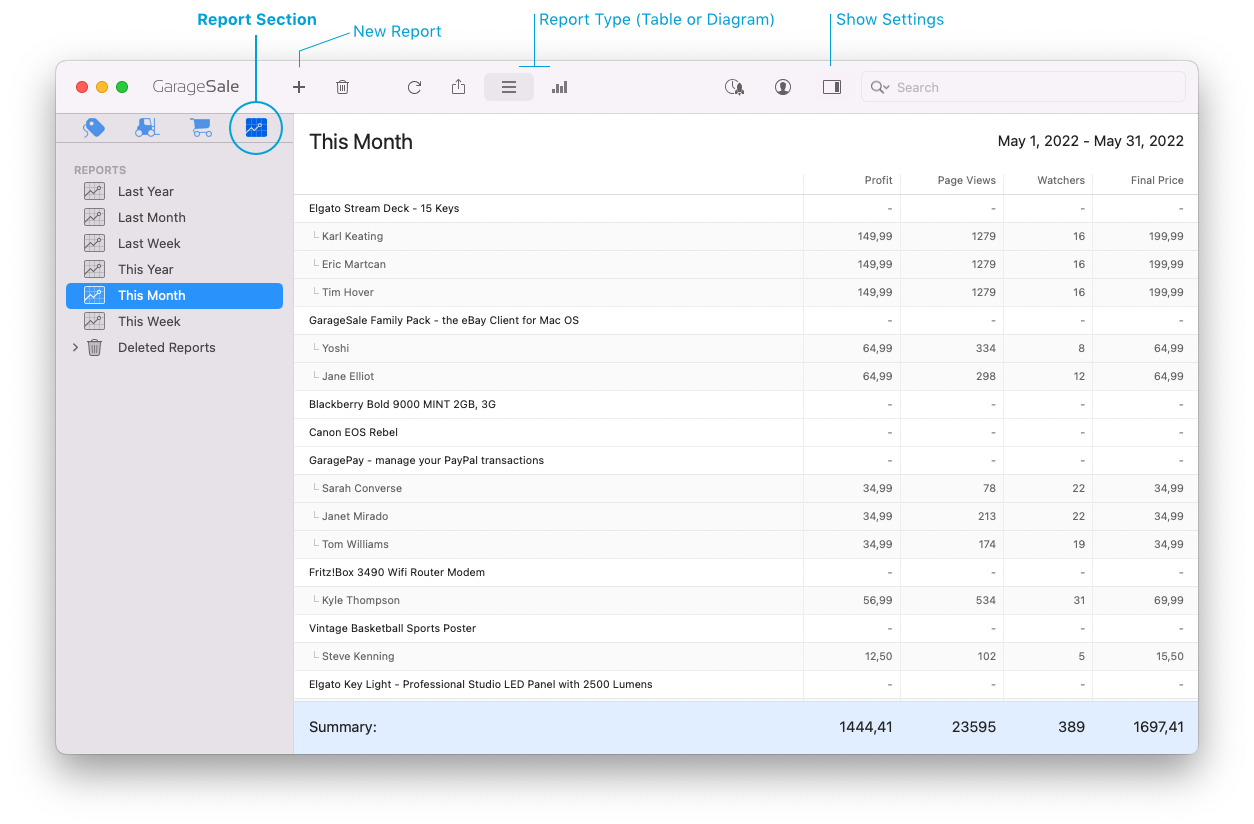
The Report section enables you to keep track of your eBay income and expenses.
Create custom reports to focus on the kind of data you truly care about. This includes important details such as eBay fees, item costs and your final profit for any given time period.
You can choose from two Report Types: Table or Line/Bar Graph.
Creating a New Report
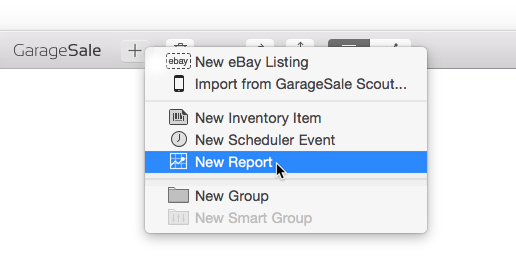
To generate a report, simply click the + button in the toolbar and select “New Report”.
Report Settings
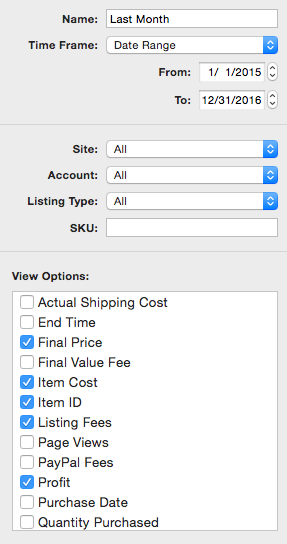
All of your reports can be easily customized via the Inspector sidebar. Here you can provide a title for your report, specify the time frame, add specific filters for the ebay site and ebay account involved, and define the desired view options (e.g. End Time, Final Price, Item ID, etc.).
| << Order Icons | Report Type >> |