AI Listing Generator
Save time and let artificial intelligence (AI) create your listings:
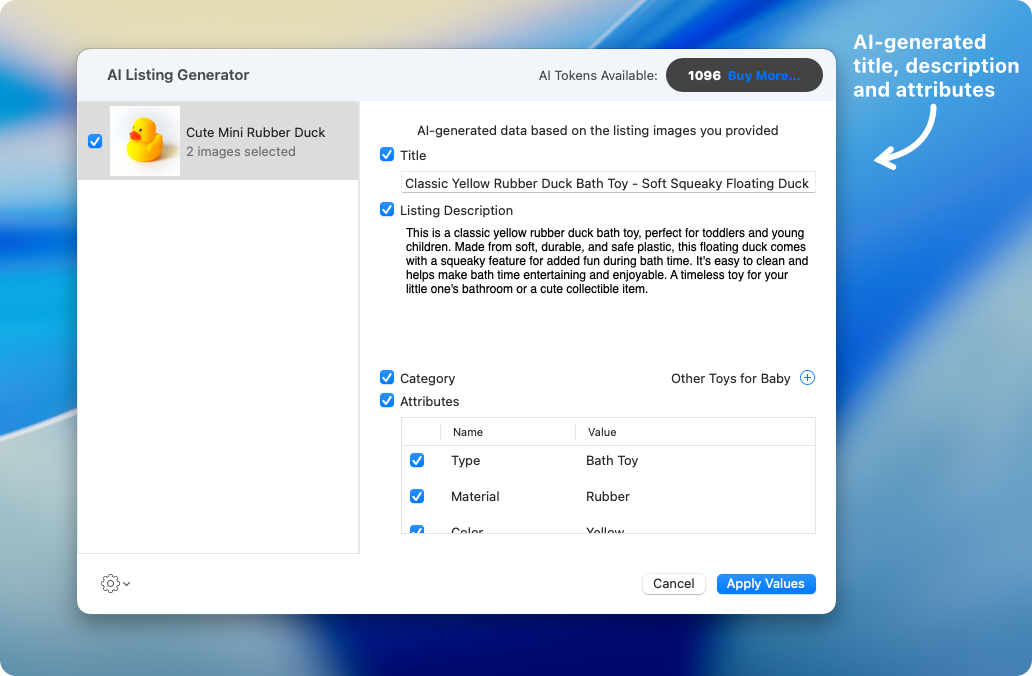
All you need to do is to provide one or more listings with item images. Based on the images, GarageSale’s AI Listing Generator will generate a sophisticated item description and title, add attributes, and pick a category.
How To Use
1. Open the AI Listing Generator
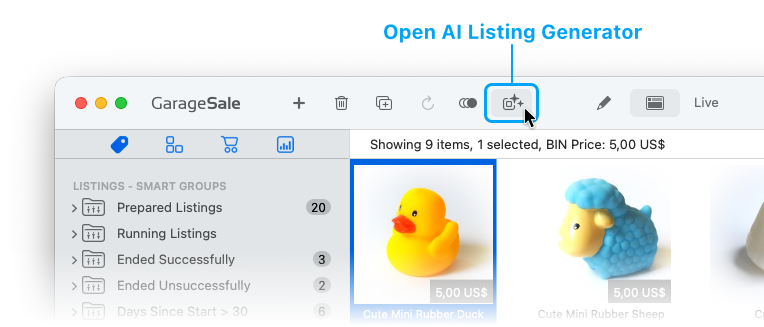
To open the AI Listing Generator select one or more prepared (or running) listings that already have images, then click on the AI icon in GarageSale’s toolbar:
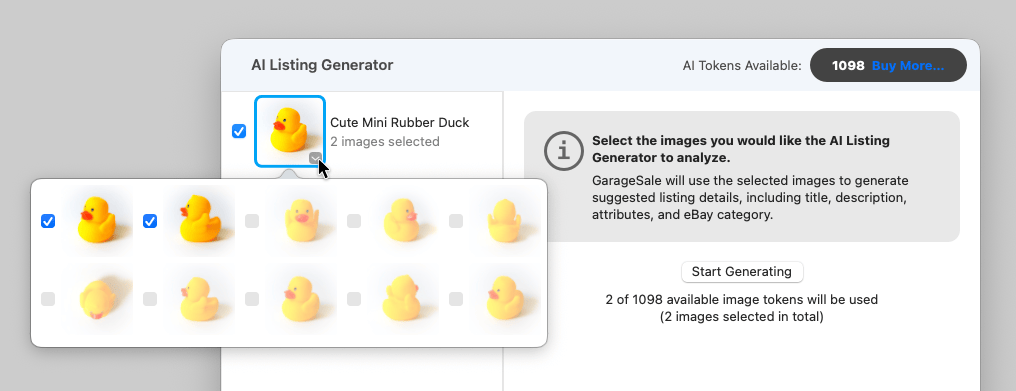
2. Select the images you would like the AI Listing Generator to analyze
GarageSale will use the selected images to generate suggested listing details, including title, description, attributes, and eBay category.
Good to know:
- Every image sent to the AI for analyzation will cost an image recognition token (“AI Token”).
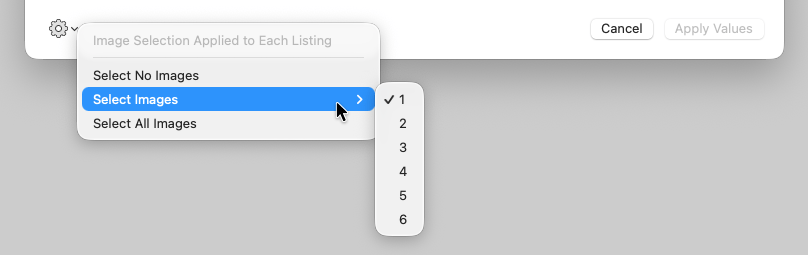
- In the AI-Settings you can set the default image selection, e.g. define that the first three images of a listing should always be selected by default.
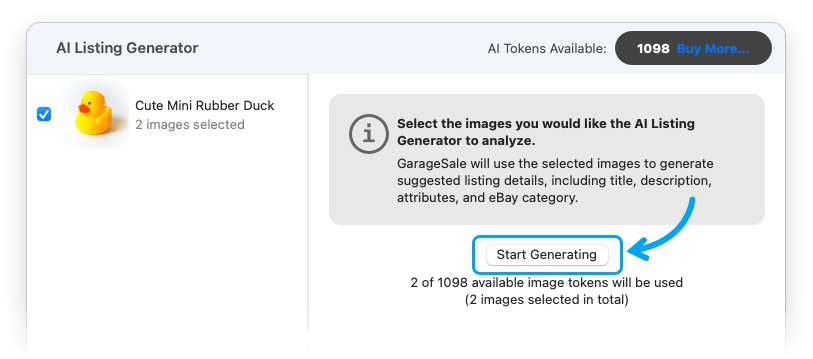
3. Click “Start Generating”
The images will then be processed by AI. Please be patient, this process can take a moment.
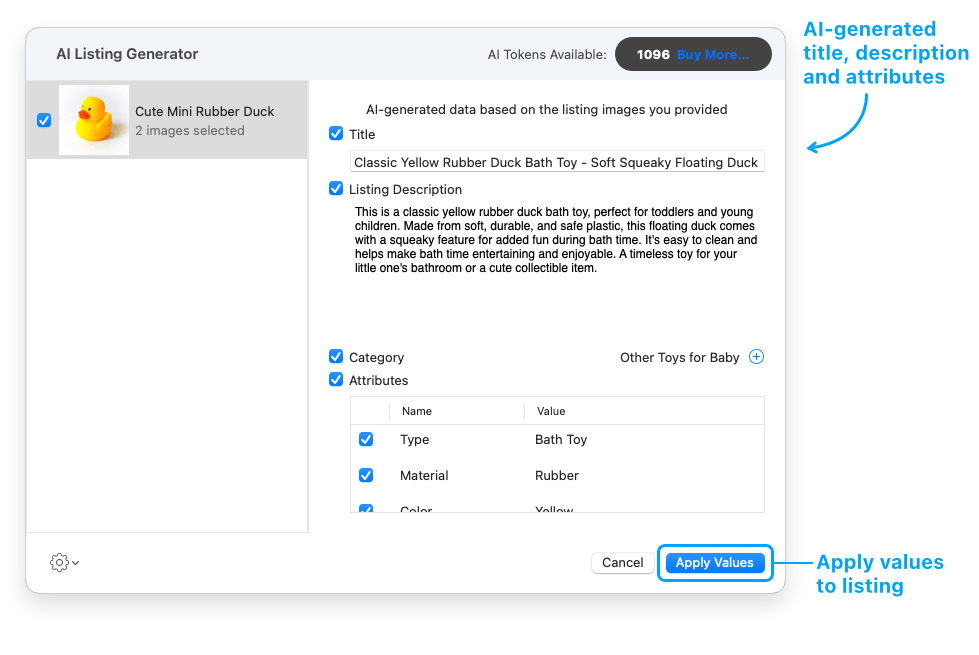
4. Click “Apply Values”
Check the results and use the checkboxes to disable certain values that you don’t want to apply to the listing. Don’t worry, you can always edit everything later in the listing as usual.
If you are happy with the generated values, click “Apply Values”. This will apply the selected values to the listing. Be aware that values, already existing in the listing e.g. item description or attributes will be overwritten!
About AI Tokens

Every image sent to the AI for analyzation will cost an image recognition token (aka “AI Token”).
- If you have a GarageSale Pro subscription you get 100 AI tokens per month for free. (These tokens are non-accumulating and will expire at the end of your subscription period and will not roll-over to the next month.)
- Regular GarageSale license holders will receive 10 AI tokens as a one-time gift.
- All users can purchase 1000 additional non-expiring AI tokens for $10.
Buying more AI Tokens
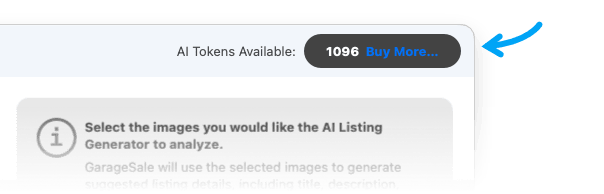
To buy more AI Tokens just click the “Buy More” button in the AI Listing Generator window:
| << Tags | SKU Generator >> |