Inspector Sidebar
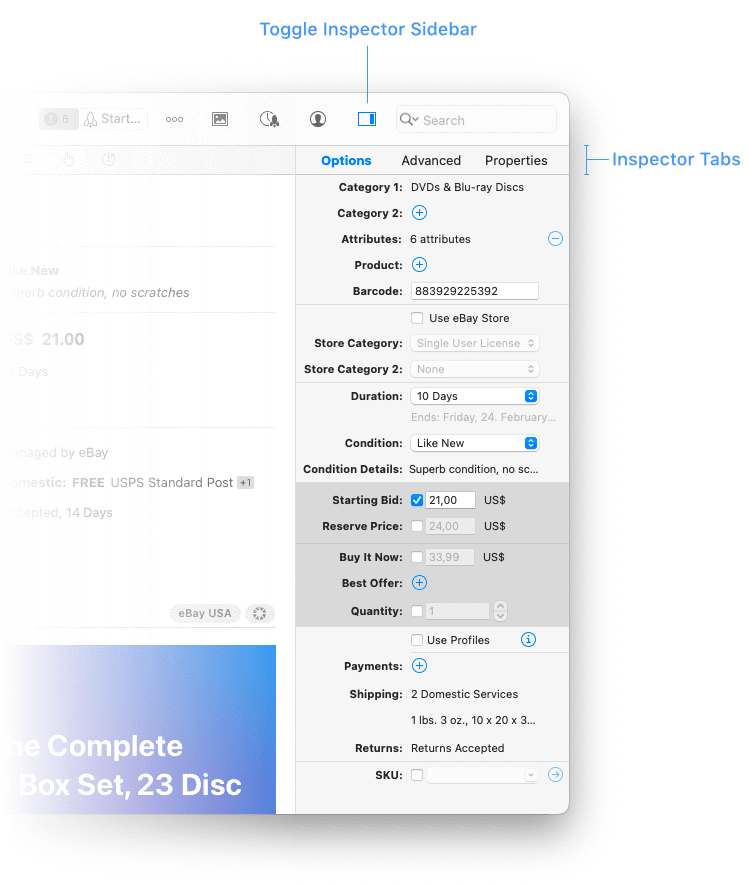
You can show/hide the inspector sidebar by clicking the Inspector button in the toolbar.
The resizable inspector is a powerful tool that lets you modify and control just about anything that is currently selected. Please see the chapter Setting Up eBay Listings if you want to learn more about each listing option in detail.
You find all basic listing options like category, prince and condition in the “Options” tab.
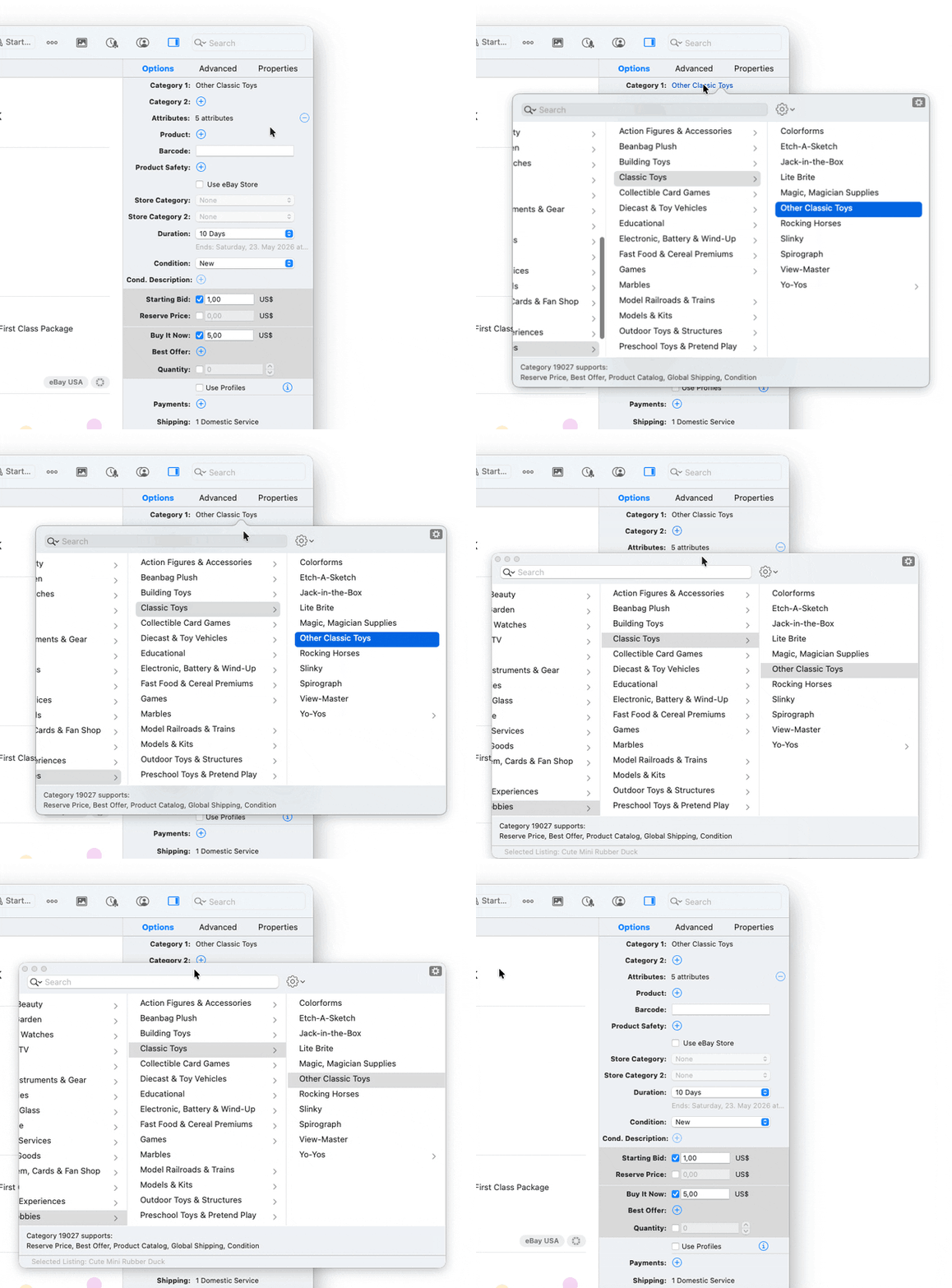
Good to know: Popover Windows are detachable
Some settings in the Inspector will be opened in a so-called popover window, e.g. categories, product and attributes. You can “detach” a popover by just grabbing its top area and move it to a permanent location on your screen. Great for preventing it from auto-closing when editing several listings.
| << Content Area | Groups and Smart Groups >> |