eBay
The eBay tab enables you to set up defaults for new listings, select the preferred image service and handle advanced settings.
New Listings
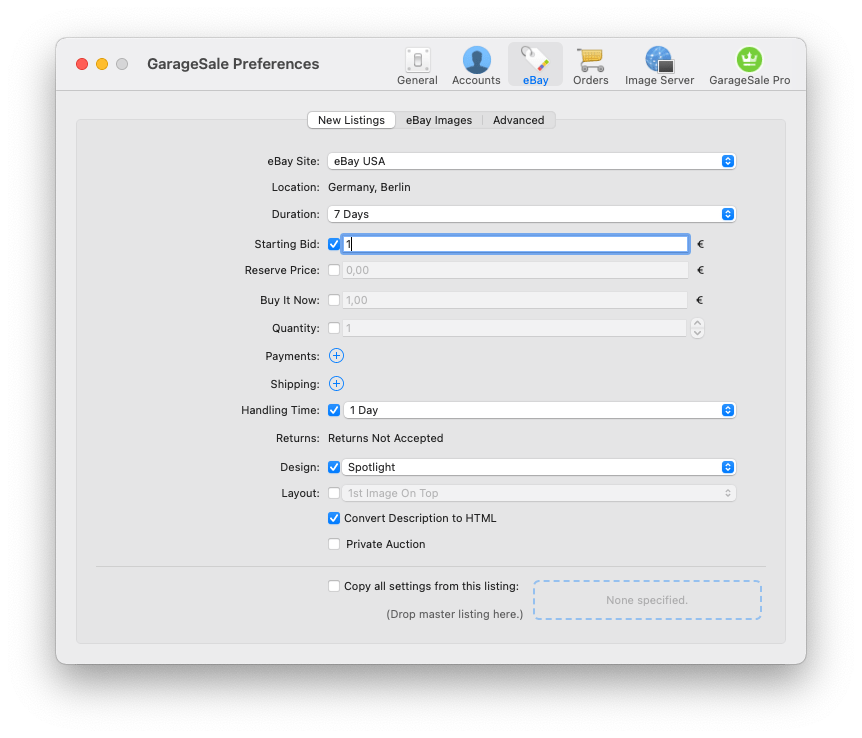
Here you can control the default settings for new listings, such as the eBay Site, duration, payment, shipping, design and so on. This way you don’t have to re-select your default options for each newly created listing again and again.
If you’re missing settings here you’ll find the “Copy all settings from” option even more very helpful: Just create one listing in GarageSale that carries all your default settings including text and design. Next, simply drag and drop that “master” listing from the GarageSale listings section straight into the box with the dashed border. Each time you create a new listing GarageSale will automatically copy the settings from that “master” listing!
eBay Images
Choose between using GarageSale’s free picture service or eBay’s picture service (EPS).
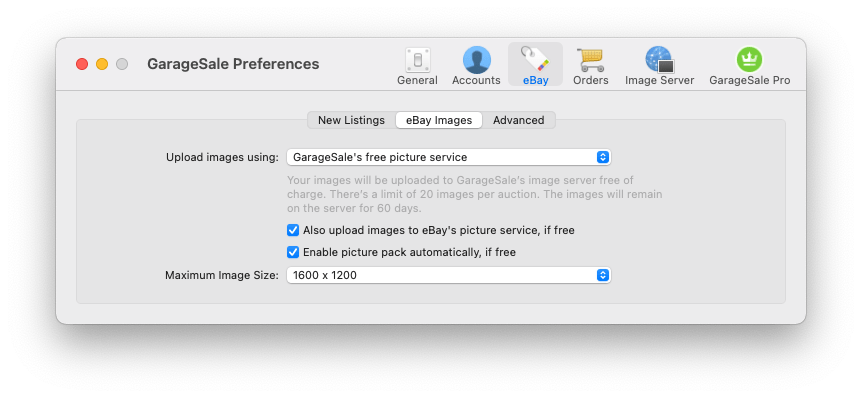
GarageSale’s free picture service
Choose this option to upload up to 30 images per listing with a size of up to 1600px. If you subscribe to GarageSale Pro you can add up to 50(!) images to your item description.
You most likely want to select “Also upload images to eBay’s Picture service, if free”. It will make the images appear in eBay’s own image gallery (at the top of the eBay listing website).
If you wish to use GarageSale’s picture service for Good Till Cancelled (GTC) listings, a GarageSale Pro subscription is required.
eBay’s Picture Service (EPS)
Select EPS if you wish eBay to host your listing images. EPS supports up to 24 images per listing. Note that eBay may charge you an additional fee for EPS. You also have the option to “Enable picture pack automatically, if free” if you check the corresponding box.
Advanced
The Advanced section gives you additional control how images are included in the listing’s item description and it lets you specify how often GarageSale will update your eBay messages.
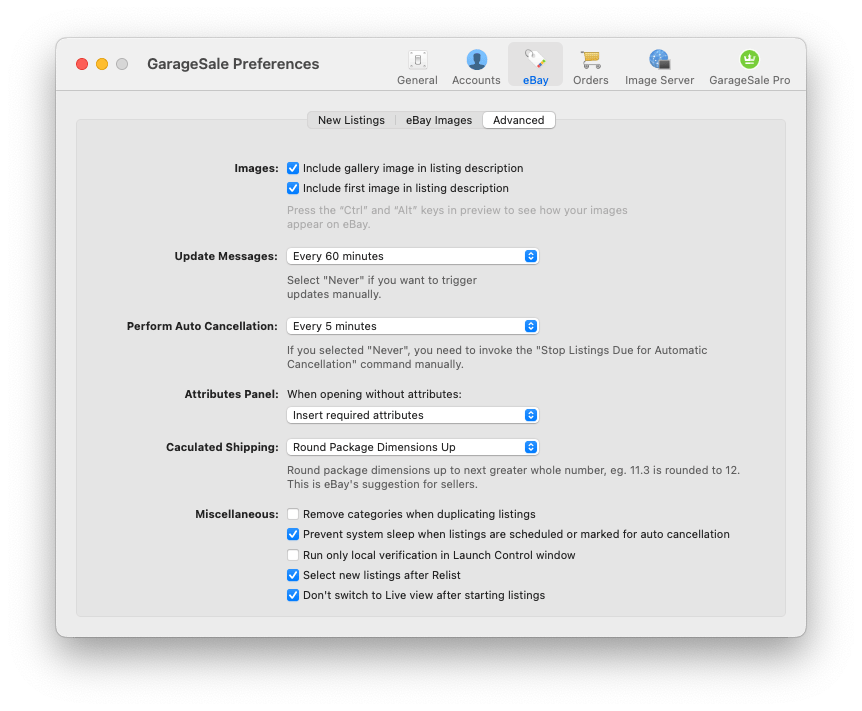
Perform Auto Cancellation: This is only required for the optional Auto-Cancel feature. It lets you define how often GarageSale should perform/check the auto cancellation process. If you selected “Never”, you need to invoke the “Stop Listings Due for Automatic Cancellation” command from the “Listing” menu manually.
Attributes Panel: Here you can specify the attributes panel’s behaviour when no item specifics have been defined yet. GarageSale can insert specifics suggested by eBay, insert only specifcs required by eBay or insert no attributes at all.
Miscelleanous:
- You can tell GarageSale to “Remove categories when duplicating listings”.
- Enabling “Prevent system from sleep while scheduling listings” is a great idea when you schedule listings to start at times when your Mac is typically not in use.
- With the “Run only local verification” option selected, GarageSale will not verify your listing with eBay before enabling the “Start Listing” button. In general there’s no need to select this option but under certain circumstances it can help to speed up your listing process.
- With “Select new listings after relist” enabled, GarageSale will always select the relisted listing in the left outline view (instead of retaining the current selection).
- “Don’t switch to Live view after starting listings” prevents GarageSale from automatically switching to “Live” mode after a listing has been started.
| << Accounts | Orders >> |