Error Handling
- Verifying Listings to Prevent Errors
- Dealing with Errors and Warnings
- Error Message Options
- Troubleshooting Error Messages
Verifying Listings to Prevent Errors
GarageSale automatically verifies selected listings and so can recognize many problems instantly without needing to communicate with eBay.
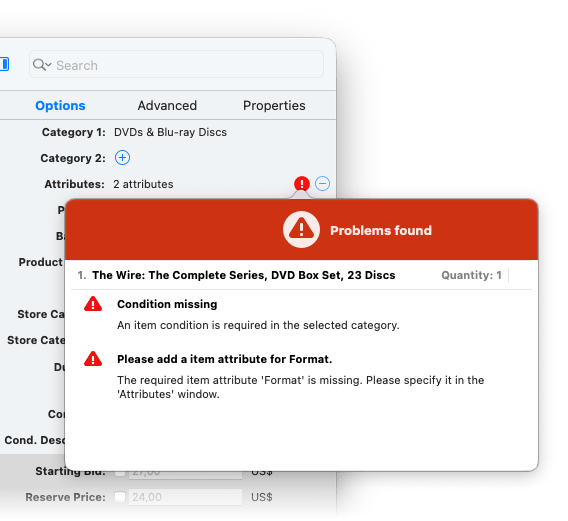
If it detects an issue that prevents your listing from going live on eBay, it will display a red error icon next to the setting that is responsible for the error. Click on the red error icon to view a summary of the errors received. You need to fix this problem in order to start your listing.
-
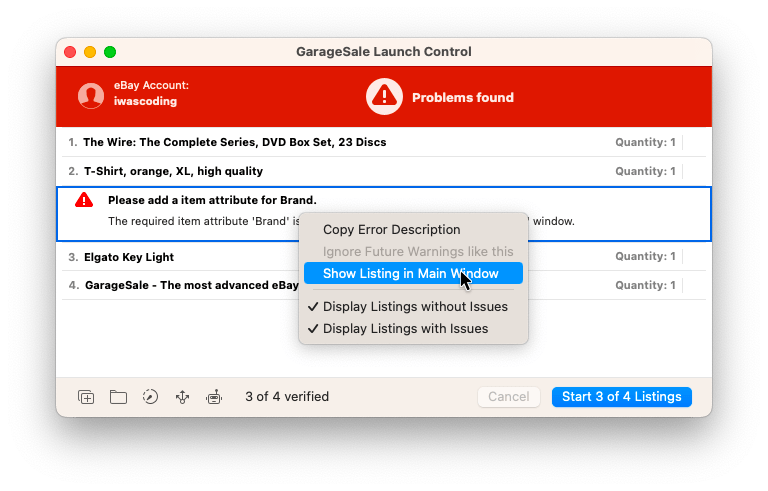
Another way to receive a list of all issues that have been detected for the selected listings, is to click the “Start” button to open Launch Control, or select “Verify Listing” from the
•••toolbar menu. -
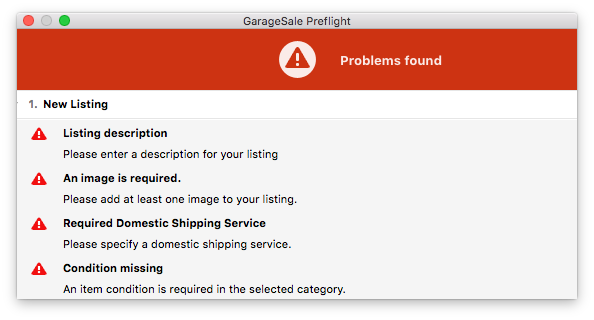
You can also open the Preflight window from the “Windows” menu. It follows your listing selection and automatically updates as you make changes to the selected listings.
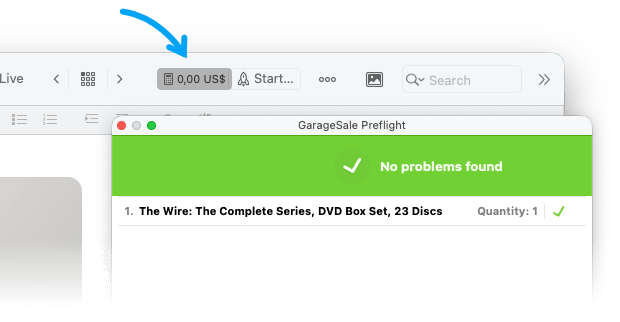
Once all issues have been resolved, the toolbar will display ebay’s estimated listing fees instead of the error count:
Dealing with Errors and Warnings
When starting or verifying a listing, errors or warnings may be returned from eBay or GarageSale. Here is how to deal with them:
- Yellow Warning: You may receive warnings from eBay, carrying a yellow warning sign. Warnings are non-critical and will not prevent your from starting your listing. Nevertheless, they are indicating a potential issue with your listing. Please make sure you understand what the warning is about before continuing to list.
You can permanently hide warnings by right clicking them and choosing “Ignore future warnings like this”. -
Red Error: If you are receiving errors from eBay with a red error sign, you will need to fix these errors before you can proceed to list the item.
- Errors can occur when GarageSale tries to upload your listing images to the image server specified in the GarageSale Settings.
- If you are uploading your images to eBay’s or iwascoding’s servers, errors most likely indicate a network issue or a temporary issue on the image servers. Please try uploading again after a few minutes. If the errors persist, please check your internet connection and make sure GarageSale isn’t blocked from uploading by a firewall software running on your Mac or your local network.
- If you receive errors while using your own server, please make sure your configuration parameters are correct. If you are not sure, please contact your server’s admin or ISP’s support.
Error Message Options
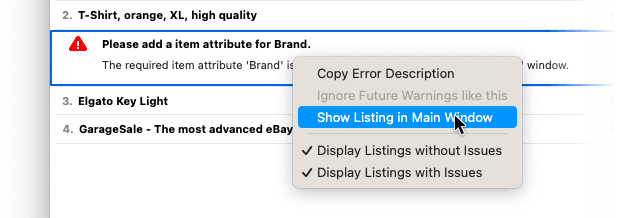
By right-clicking on an error message you’ll find several useful options:
- Copy the error description
- Ignore warnings (yellow error sign)
- Show the specific listing in GarageSale’s main window
- If you list several items at once you might find the two display options helpful: Let’s say you’re trying to start 100 listings at once and there’s only one listing with errors, these options allow you to quickly find the one that has errors.
Troubleshooting Error Messages
Many errors and issues like a non-loading Preview, outdated category data, missing attributes, condition values or shipping profiles can simply be solved by doing this:
- Open the GarageSale Setting > Accounts
- Refresh your eBay access token there
- Click on “Update Account Details”
- In GarageSale’s main window select one of the listings in question and open the category browser. In that browser click on the big sprocket icon to update the category data.
Please also always check to see if an update is available for GarageSale.
Common eBay Error Messages
-
"Authorization token is hard expired"
Solution: Just refresh your eBay access token in the GarageSale Setting > Accounts. -
"The item cannot be listed or modified. The title and/or description may contain improper words, or the listing or seller may be in violation of eBay policy."
Solution: You’re using any word or code that eBay does not allow or there might an issue with your seller account. Please find more info on the error 240 help page. -
"You need to create a seller account"
Solution: Please check your seller account on the eBay website > My eBay > Account > Selling. You probably just have to agree to a new eBay policy or add/confirm the payment method for the eBay fees. If you can’t find anything there, try to start a listing through the eBay website directly. They hopefully then provide you with instructions what to do. -
"Image Upload failed - A network error occurred while trying to connect to eBay's image server"
Solution: Often it already helps to refresh your eBay access token in the GarageSale Setting > Accounts. If not, there might be a (hopefully) temporay issue with the eBay image service.
| << Stopping Listings | Bulk Editing >> |